

Add speakers
Schedule contributors
To add invited speakers, the first step is to create a presentation. You can schedule presentations alongside meetings or within meetings.
After you have created a lecture you can now add one or more speakers.
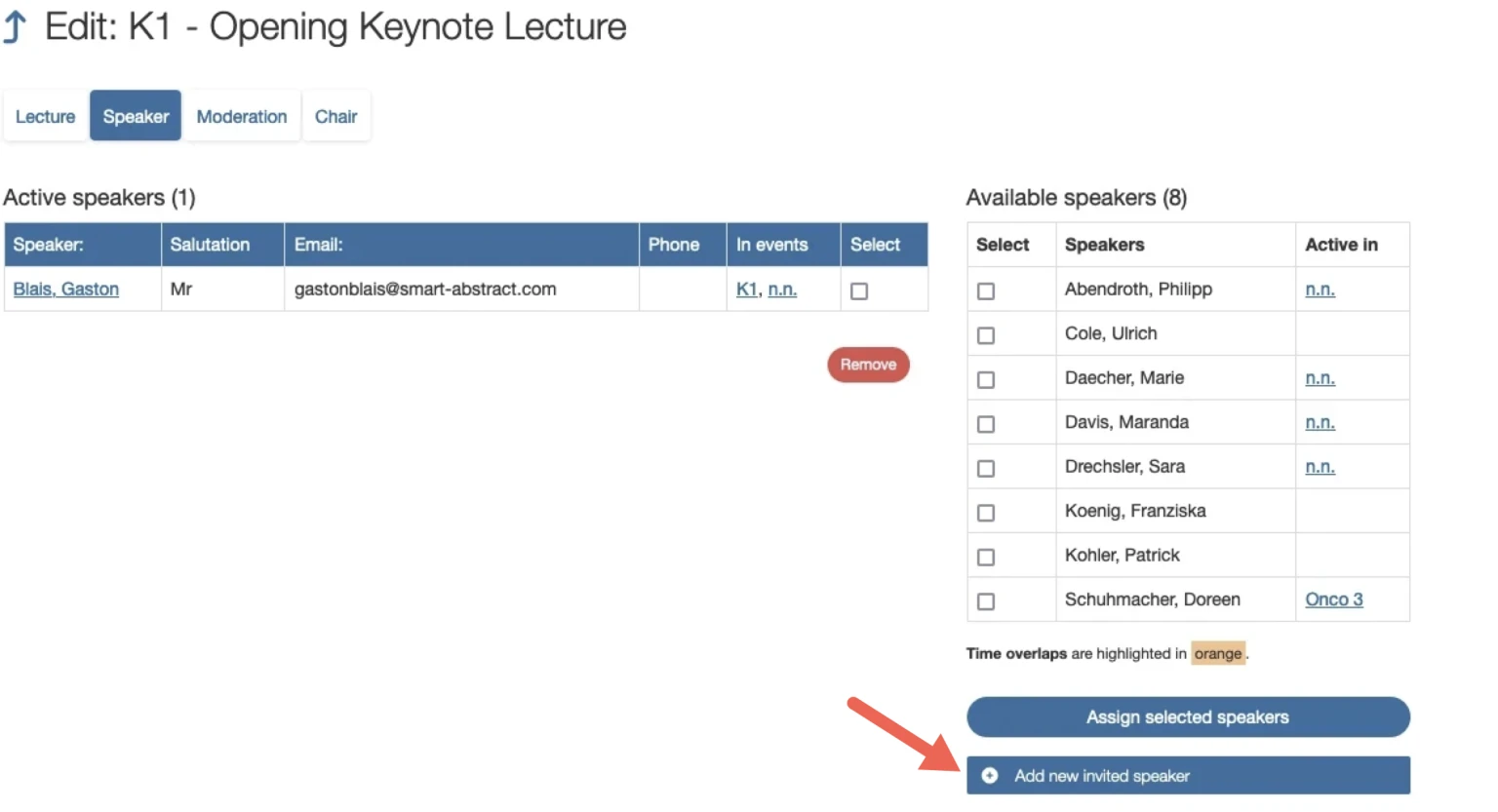
Open the "Speaker" tab.
Select the speaker from the "Available speakers" list (on the right).
confirm your selection by clicking
Assign selected speaker(at the end of the list).The selected person will appear now under "Active speakers".
Alternatively: Add new invited speaker
If a person does not exist in the list of available moderators, click the button Add new invited speaker.
Note:
When adding invited speakers (also moderators or chairs), the system always requires a unique email address. Because:
This address can be used to create a user profile.
This address can be used to contact the person in question via the contact form in the app (optional).
If you do not have an email address for the person in question, you can use a placeholder email address instead, but it must be unique.
However, if you are using the app/online session planner for your event and have activated the contact form, the email address must be valid.
Link abstracts of speakers
If the speaker has submitted an abstract, it will automatically appear under the speaker entry. You can now check whether the abstract is the correct presentation.
If so, please tick the box
If not, set the entry to "none".
Confirm your selection with
Add Abstract.
